Month-end close without copy and paste
Reconciliations, accruals and the close pack repeat every month. Here is how to turn the repeatable part into a flow and keep people for the judgement — a bank reconciliation, step by step in FlowDoo.
The close is a deadline made of repeat work
Month-end close packs a month of small tasks into a few days: bank reconciliations, intercompany matching, accrual lists, variance tables for the close pack. Most of it is the same as last month, with new numbers.
The judgement — why a variance happened, whether an accrual is right — is the part only the team can do. The time usually goes on everything before it.
Separate the mechanical from the judgement
Go through last month's close and mark each task as one of two kinds.
- Mechanical: export, reformat, match, total, compare with last month, list the differences.
- Judgement: explain a difference, decide on an adjustment, approve the result.
A reconciliation, as a flow
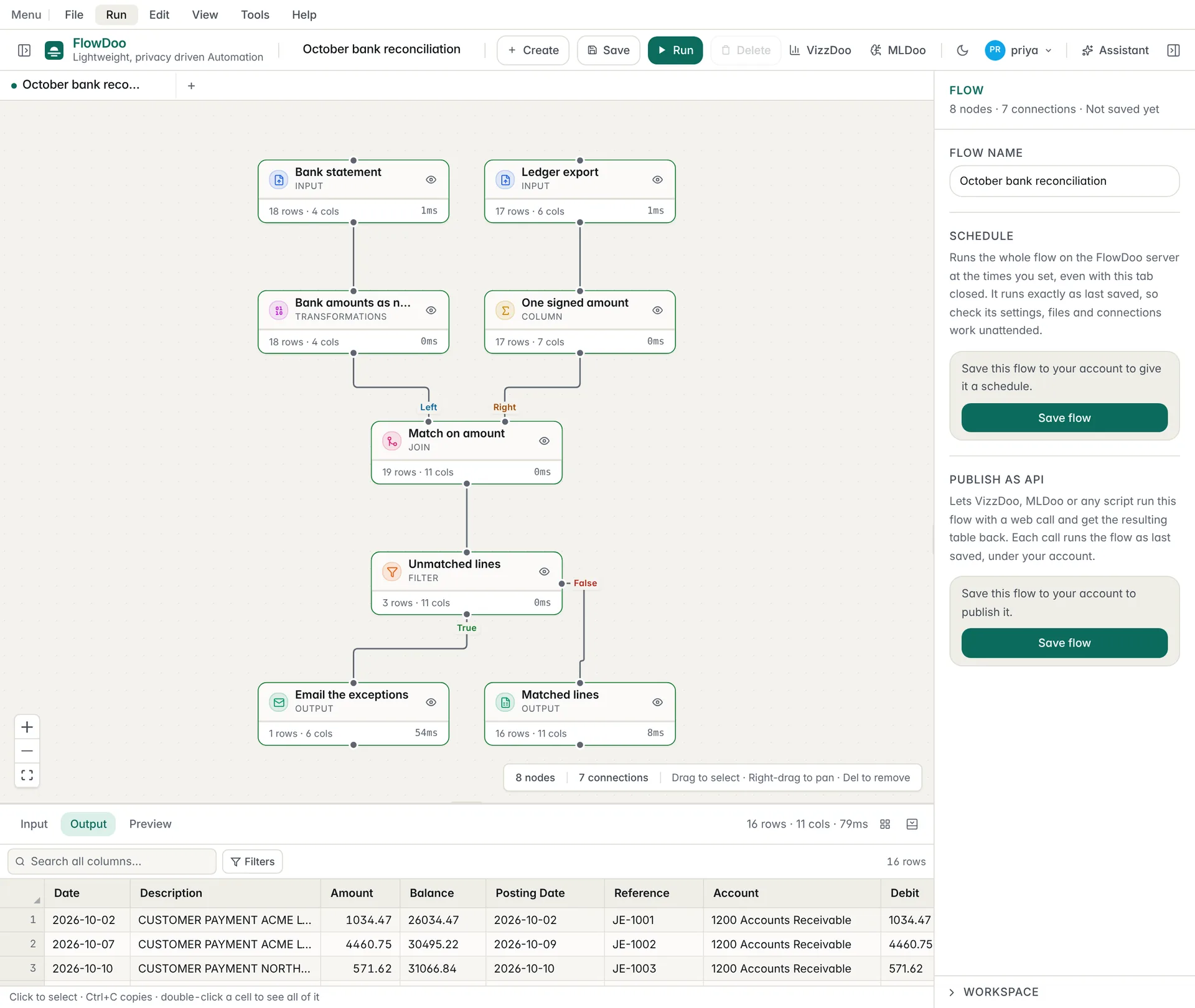
Take a bank reconciliation. The bank file has one signed amount and day-month-year dates; the ledger export has separate debit and credit columns and year-month-day dates. By hand, that means reformatting both and matching line by line. As a flow it is eight steps, and the month-end close kit on our Templates page has the two files used here.
Make both files speak the same language
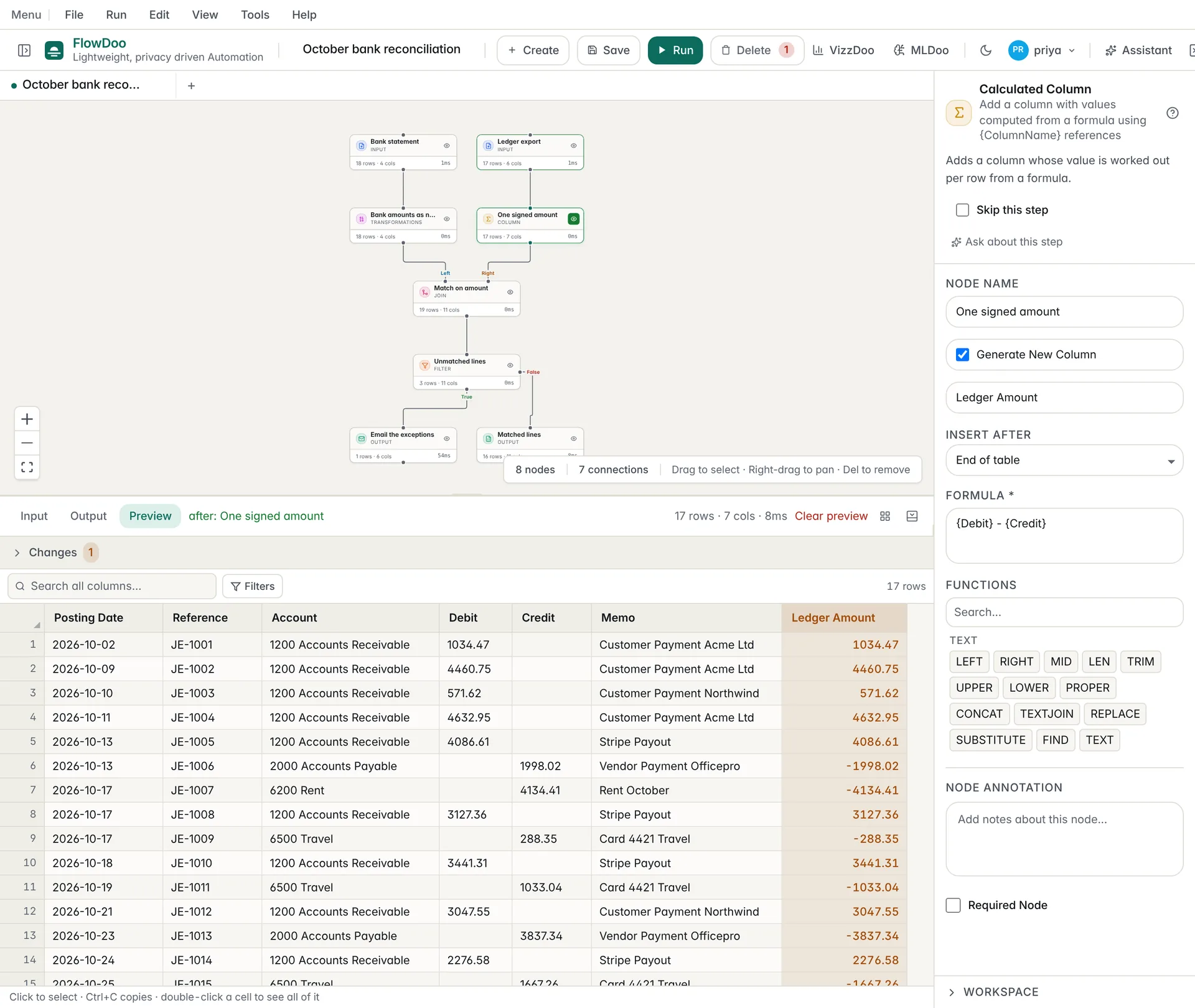
On the bank side, a Type Conversion step reads Amount as a number and the dates as dates. On the ledger side, a Calculated Column works out one signed amount with the formula {Debit} - {Credit}, so money in is positive and money out is negative in both files.
Match, then keep the exceptions
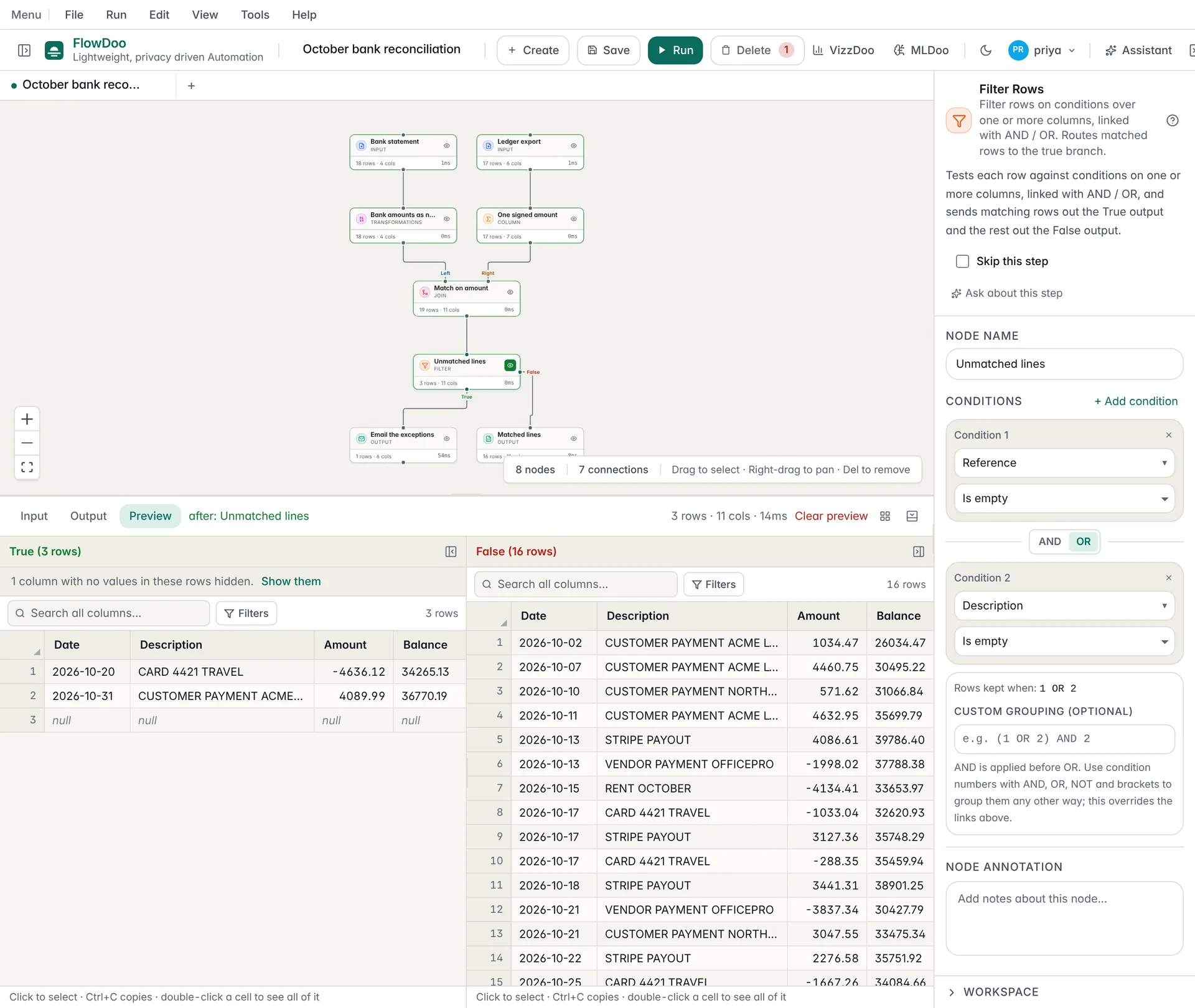
A Join Tables step set to Full Outer Join matches bank lines to ledger lines on the amount and keeps the lines that found no partner. A Filter Rows step then splits the result: rows with no ledger reference or no bank description are the exceptions; everything else matched.
In the sample month that leaves three lines to look at — two bank lines that were never posted and one ledger accrual that never reached the bank — out of nineteen.
Send the exceptions to whoever closes the month
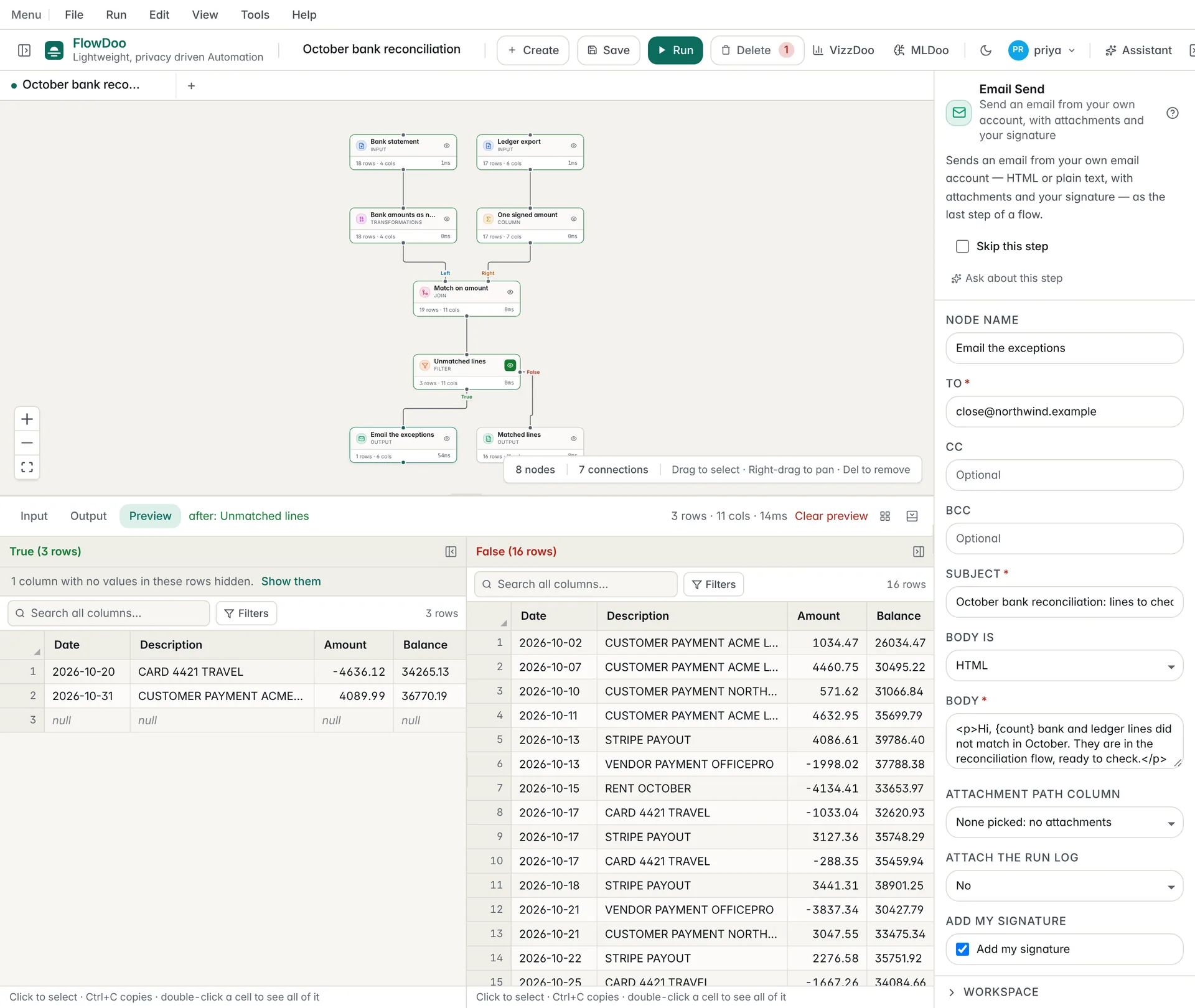
The exceptions go to an Email Send step, sent from your own email account with your signature; the matched lines go to an Excel file for the close pack. Save the flow and schedule it for the first working day of the month.
What changes for the team
The first close with a flow still needs checking line by line; that is how you learn to trust it. After that, the team starts the close with the exceptions already listed, and spends the days on the explanations instead of the preparation.
Every run records what it read and what it set aside, which also gives auditors a clearer trail than a workbook overwritten each month.
Connect & Automate
Status: AvailableConnect. Transform. Automate.
Build visual pipelines across structured and unstructured data — databases, files, documents, text and audio — and automate them on a schedule or an event.
New guides like this one are posted on LinkedIn first.
Follow us on LinkedIn (opens in a new tab)